Open Forms is now 0.4.0 - and the GUI Builder is here
A quick recap for the newcomers
Ever been to a conference where you set up a booth or tried to collect quick feedback and experienced the joy of:
- Captive portal logout
- Timeouts
- Flaky Wi-Fi drivers on Linux devices
- Poor bandwidth or dead zones

This is exactly what happened while setting up a booth at GUADEC. The Wi-Fi on the Linux tablet worked, we logged into the captive portal, the chip failed, Wi-Fi gone. Restart. Repeat.

We eventually worked around it with a phone hotspot, but that locked the phone to the booth. A one-off inconvenience? Maybe. But at any conference, summit, or community event, at least one of these happens reliably.
So I looked for a native, offline form collection tool. Nothing existed without a web dependency. So I built one.
Open Forms is a native GNOME app that collects form inputs locally, stores responses in CSV, works completely offline, and never touches an external service. Your data stays on your device. Full stop.
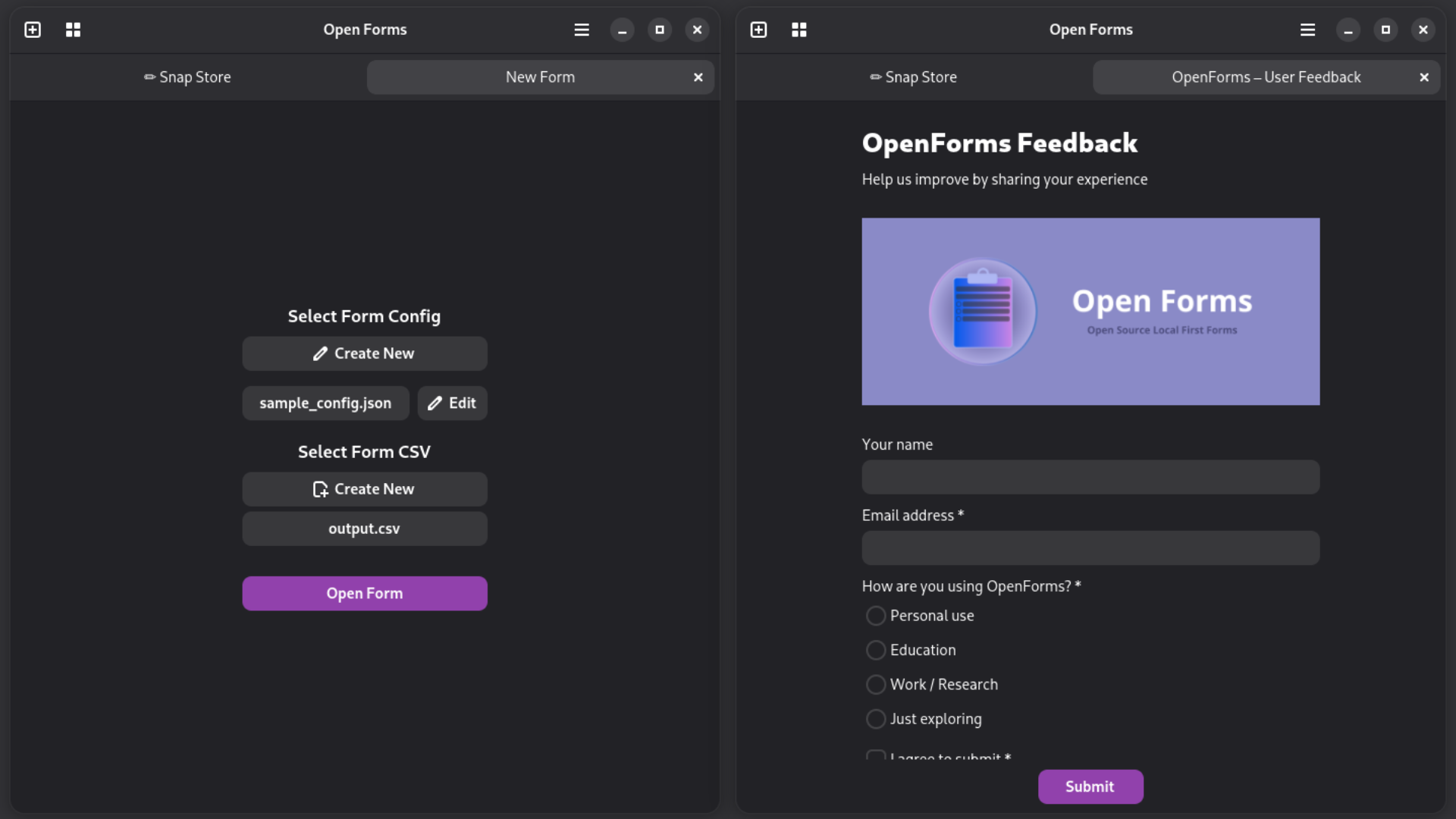
What's new in 0.4.0 - the GUI Form Builder
The original version shipped with one acknowledged limitation: you had to write JSON configs by hand to define your forms.
Now, I know what you're thinking. "Writing JSON to set up a form? That's totally normal and not at all a terrible first impression for non-technical users." And you'd be completely wrong, to me it was normal and then my sis had this to say "who even thought JSON for such a basic thing is a good idea, who'd even write one" which was true. I knew it and hence it was always on the roadmap to fix, which 0.4.0 finally fixes.
Open Forms now ships a full visual form builder.
Design a form entirely from the UI - add fields, set labels, reorder things, tweak options, and hit Save. That's it. The builder writes a standard JSON config to disk, same schema as always, so nothing downstream changes.
It also works as an editor. Open an existing config, click Edit, and the whole form loads up ready to tweak. Save goes back to the original file. No more JSON editing required.
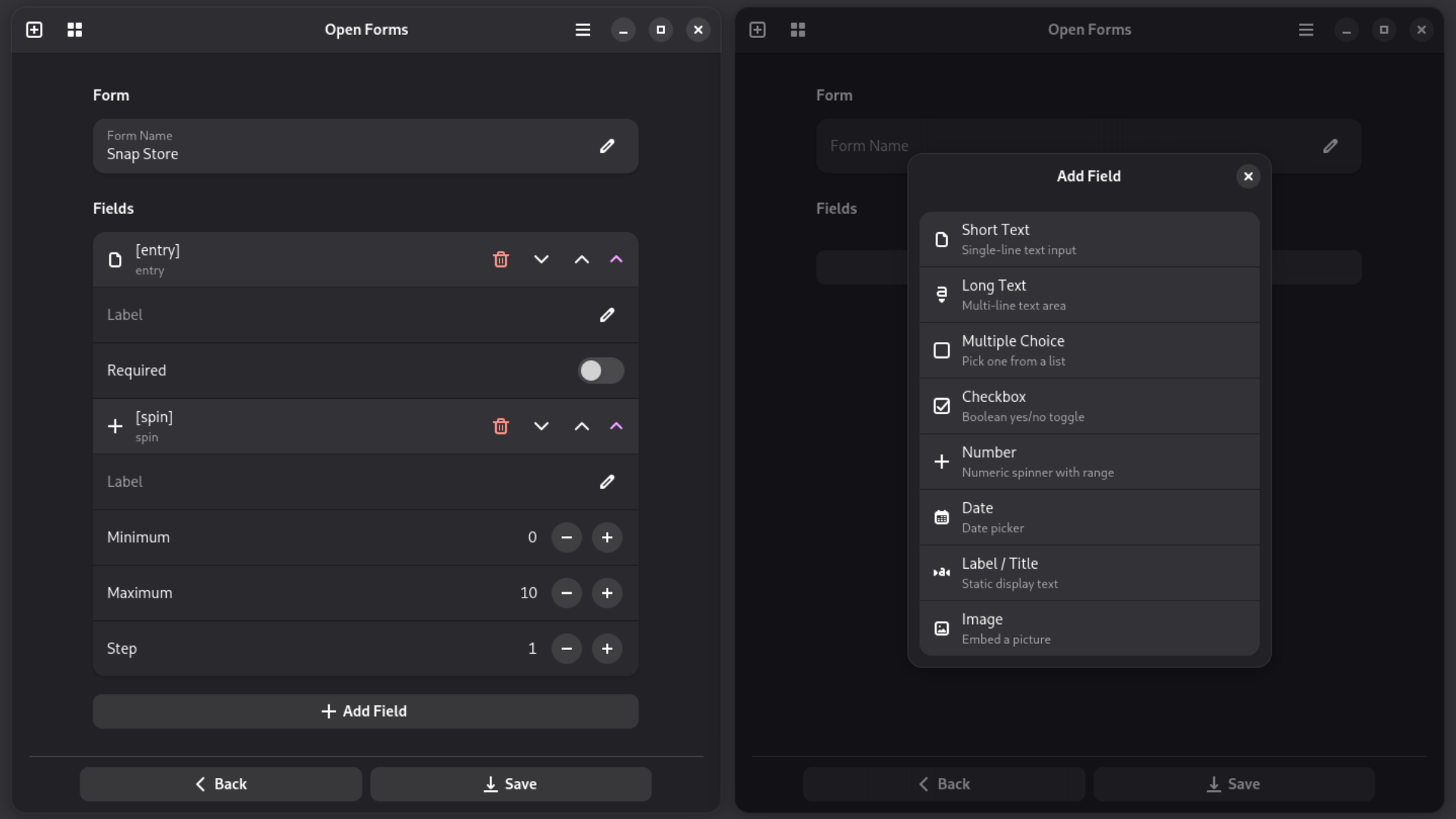
Libadwaita is genuinely great
The builder needed to work well on both a regular desktop and a Linux phone without me maintaining two separate layouts or sprinkling breakpoints everywhere. Libadwaita just... handles that.
The result is that Open Forms feels native on GNOME and equally at home on a Linux phone, and I genuinely didn't have to think hard about either. That's the kind of toolkit win that's hard to overstate when you're building something solo over weekends.
The JSON schema is unchanged
If you already have configs, they work exactly as before. The builder is purely additive, it reads and writes the same format. If you like editing JSON directly, nothing stops you. I'm not going to judge, but my sister might.
Also thanks to Felipe and all others who gave great ideas about increasing maintainability. JSON might become a technical debt in future, and I appreciate the insights about the same. Let's see how it goes.
Install
Snap Store
snap install open-forms
Flatpak / Build from source
See the GitHub repository for build instructions. There is also a Flatpak release available.
What's next
- A11y improvements
- Maybe and just maybe an optional sync feature
- Hosting on Flathub - if you've been through that process and have advice, please reach out
Open Forms is still a small, focused project doing one thing. If you've ever dealt with Wi-Fi pain while collecting data at an event, give it a try. Bug reports, feature requests, and feedback are all very welcome.
And if you find it useful - a star on GitHub goes a long way for a solo project. 🙂